Workflows
Let a recording act for you, like Shortcuts for what you say. Say a phrase and Italic writes, drafts or sends what you set up.
A workflow is like a Shortcut for your recordings. You choose what starts it, usually a phrase such as "send an email", and what it does. After a recording is transcribed, every workflow it matches runs its actions in order: Italic writes the email, event or reminder from what you said, then asks you first or acts on its own.
Workflows run on new recordings, whichever device made them: Sudo, Dex, Glyph, the Italic app on iPhone or the web app.
Find them under Workflows in the sidebar of the web app and Italic for Mac, and under Profile → Workflows in the Italic app on iPhone.
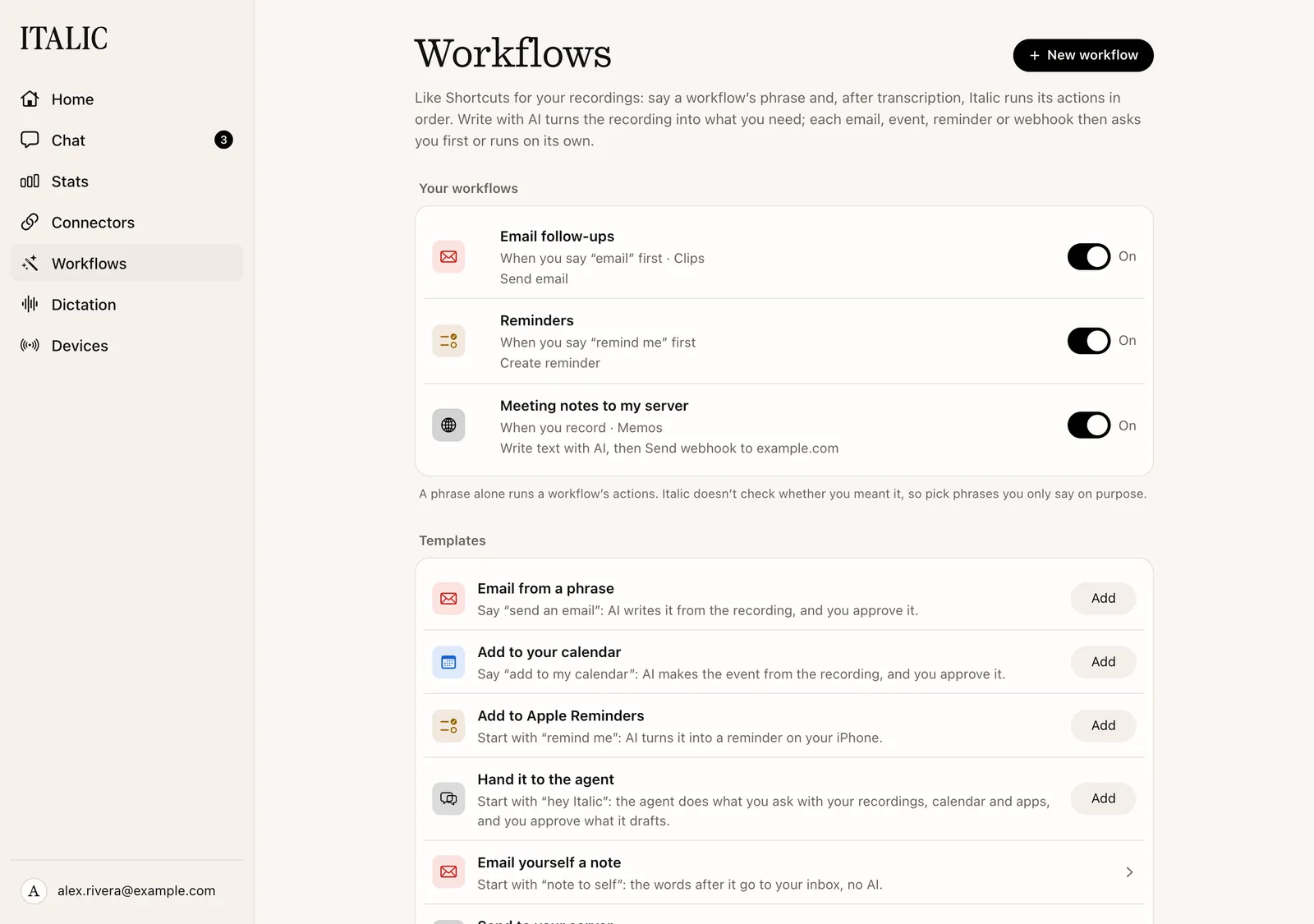
Start from a suggestion
With no workflows yet, the page shows four suggestions:
- Email from a phrase: say "send an email", and Italic writes it from the recording for you to approve.
- Add to your calendar: say "add to my calendar", and Italic makes the event for you to approve.
- Add to Apple Reminders: start with "remind me", and Italic adds the reminder on your iPhone. This one runs automatically.
- Hand it to the agent: start with "hey Italic", and Italic's agent does what you ask with your recordings, calendar and apps. You approve what it drafts.
Choose Add to turn one on as it is; it then reads Added. Choose the suggestion itself to open it in the builder and change its phrase first.
A suggestion that needs an app you haven't connected is greyed out and says why. For example, Email from a phrase needs an email account, such as Gmail, in Connectors. Hand it to the agent is never greyed out.
Once you have a workflow, Templates lists every starting point, including Email yourself a note (the words after "note to self" go to your inbox, with no AI) and Send to your server.
Memos suggest workflows
A Clip is one request, so a phrase starts its workflows. A Memo is a meeting or a long thought, so Italic suggests instead. A few seconds after you open a new Memo, its page says "From this memo, Italic can:" with up to three suggestions, such as "Email Dana the pricing recap".
- Run asks Italic in Chat, with the Memo attached. Anything it drafts waits for your approval.
- Chat opens Chat with the Memo attached and the request in the message box, so you can change it before you send it.
- Discard removes the suggestion on every device.
Clips, and Memos under 25 words, get no suggestions. The web and iPhone show the same ones.
Turn workflows on and off anywhere
- Web and Mac: use the switch on the workflow's row.
- iPhone: swipe the workflow in Profile → Workflows and choose Turn Off or Turn On.
- ChatGPT and Claude: ask them to turn a workflow on or off. See Assistants.
A workflow turned off stops at once. Turned back on, it runs only on recordings made after that.